
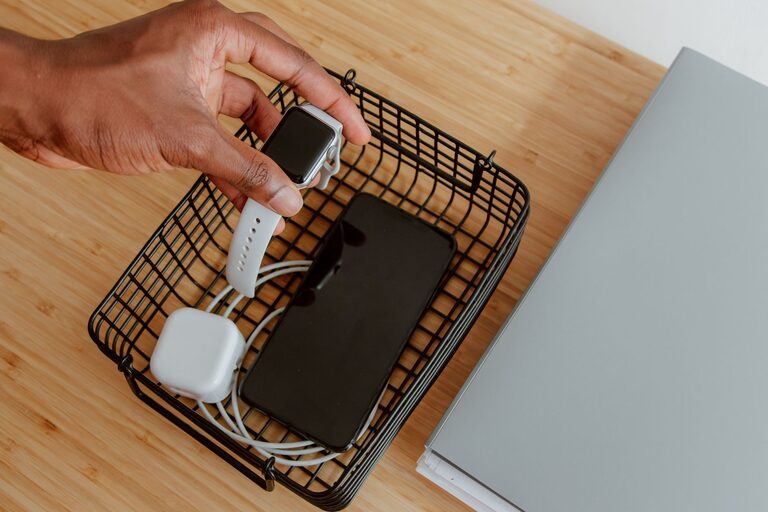
In today’s digital world, keeping multiple devices charged can sometimes feel overwhelming. Phones, tablets, smartwatches, wireless earbuds, and more all require power, and charging them individually often leads to cluttered spaces and tangled cables. Setting up a dedicated charging station offers a simple, organized solution to keep your devices charged and ready to use.
This guide will walk you through the essentials of setting up a charging station in your home or office, covering location, equipment, cable management, and safety tips.
Why Set Up a Charging Station?
A charging station centralizes your device charging needs into one convenient spot. Benefits include:
– Organization: Eliminates clutter from scattered chargers and cables.
– Efficiency: Makes charging multiple devices faster and easier.
– Space Saving: Consolidates devices and cords, freeing up surfaces.
– Device Care: Proper equipment and placement can extend battery life.
Step 1: Choose the Right Location
Selecting a practical location is the first step. Consider these factors:
– Accessibility: Pick a spot you use frequently, such as a desk, living room console, or kitchen counter.
– Power Source: Ensure the area has easy access to electrical outlets.
– Ventilation: Avoid enclosed spaces that may cause chargers or devices to overheat.
– Surface Space: Make sure there’s enough room for your devices and chargers to sit comfortably.
Step 2: Gather Your Equipment
Depending on the number and type of devices you want to charge, you may need various tools:
– Multi-port USB Charger: These chargers can power several devices simultaneously, reducing outlet use.
– Charging Docks: Ideal for phones, smartwatches, and earbuds, docks keep devices upright and organized.
– Power Strip with Surge Protector: Protects your devices from electrical surges and provides additional outlets.
– Fast Charging Cables: Use cables compatible with your devices to ensure efficient charging.
– Charging Station Organizer: A box, tray, or stand designed to hold cables and devices neatly.
Step 3: Plan Cable Management
Tangled cables are a common frustration. Effective cable management keeps your station tidy and safe.
– Label Cables: Use tags or colored bands to identify cables quickly.
– Cable Clips and Holders: Attach these to the edge of your desk or station to guide cables.
– Cable Sleeves or Tubes: Bundle multiple cables together for a neat appearance.
– Velcro Straps: Use these to shorten cables and avoid excess slack.
– Under-Desk Channels: Route cables underneath furniture to keep them out of sight.
Step 4: Set Up the Charging Station
Once equipment is ready, follow these steps:
- **Place the Power Strip:** Position it close to the outlet but easy to access.
- **Arrange Chargers:** Connect your multi-port charger and any docks to the power strip.
- **Organize Cables:** Use your chosen cable management tools to route cables neatly.
- **Position Devices:** Place devices on docks or stands, or arrange them in a tray.
- **Test Charging:** Plug devices in to ensure all ports work and the station functions smoothly.
Step 5: Maintain and Customize Your Station
Keep your charging station working well by:
– Regular Cleaning: Dust and wipe cables and chargers often.
– Inspecting Equipment: Check cables and chargers for damage regularly.
– Updating Devices: Use compatible chargers and cables if you get new devices.
– Personalizing: Add LED lights, labels, or decorative elements to make the station visually appealing.
Safety Tips for Your Charging Station
– Avoid overloading power strips or outlets.
– Use chargers recommended by device manufacturers.
– Keep liquids away from the station.
– Ensure good airflow around chargers to prevent overheating.
– Unplug the station if you’re leaving for an extended period.
Bonus: Portable Charging Stations
If you travel frequently or want a flexible option, consider portable charging stations. Many come with built-in batteries to power devices without needing a wall outlet. They’re compact and great for trips or moving from room to room.
—
Setting up a charging station doesn’t require much time or cost, but it can significantly improve how you manage and power your devices daily. With a little planning and the right tools, you’ll create an organized, efficient spot that keeps your gadgets ready to go whenever you need them.
About the Author